Daglig Get Daglig
The visual planner for busy brains

Your day, in colour.

Daglig turns your blocks, habits, trips and goals into one bright screen that tells you what matters now. Works in any browser, on your computer and phone. Pay once, no subscription.

Pay once Works offline Your data stays with you
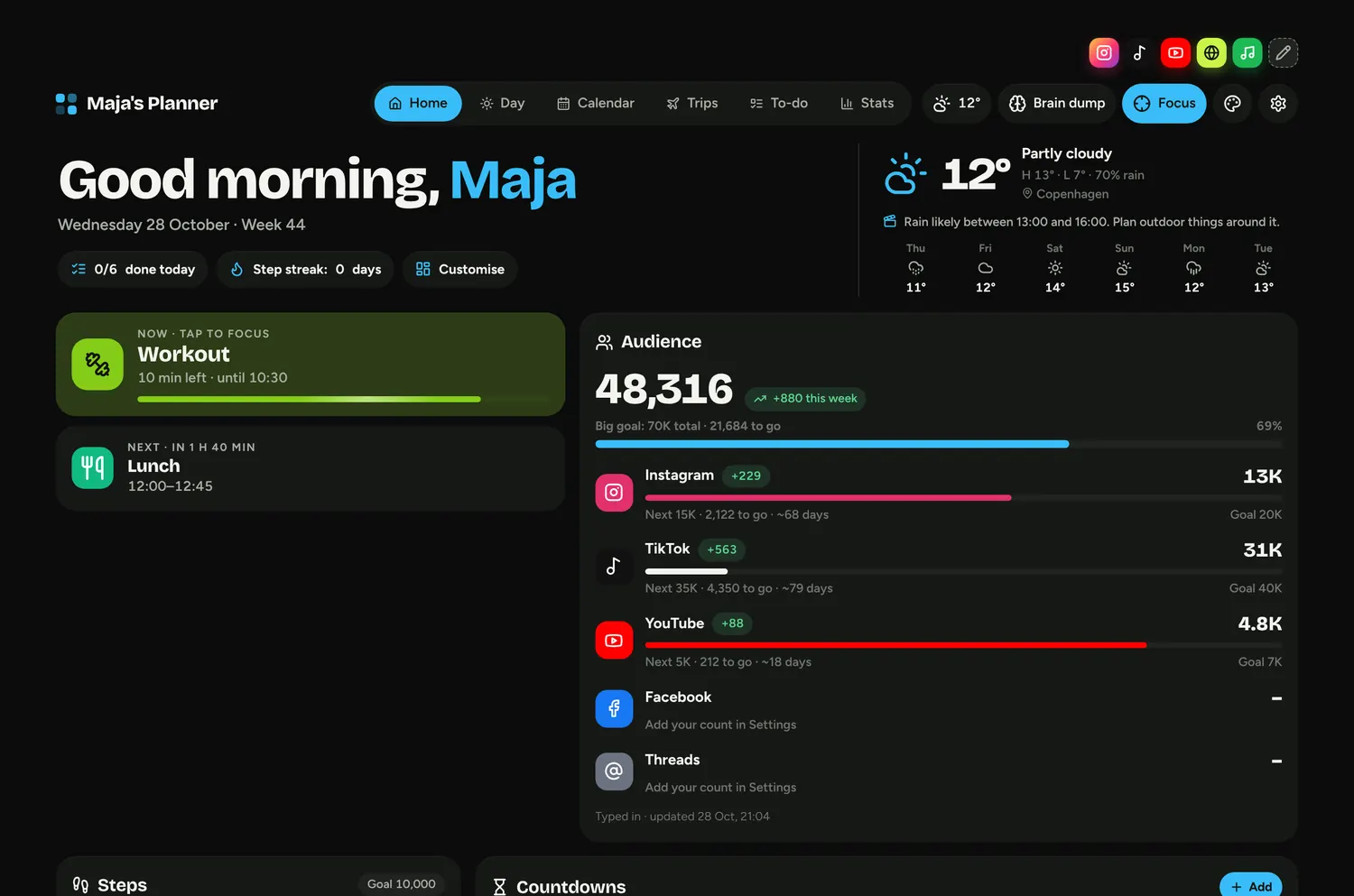
Daglig's home screen: what you're doing now, what's next, weather and follower goals
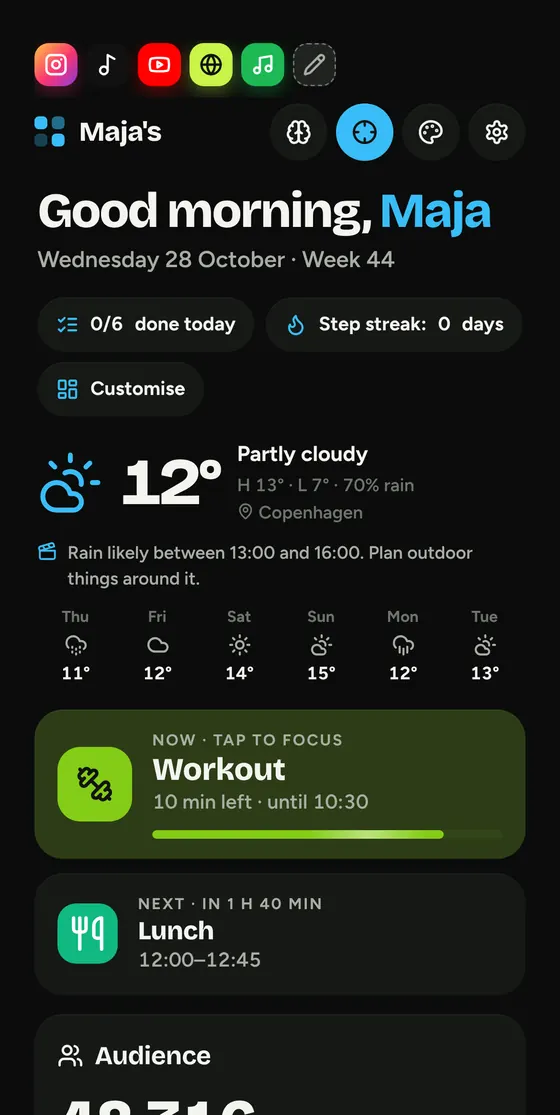
Daglig on a phone
What it does

Everything in one bright place.

Made for people who lose track when life is spread across five apps. Colours tell you what kind of thing it is before you've read a word.

Now and next

A big card shows what you should be doing right now and how long is left. Tap it for focus mode, with one thing on the screen and nothing else.
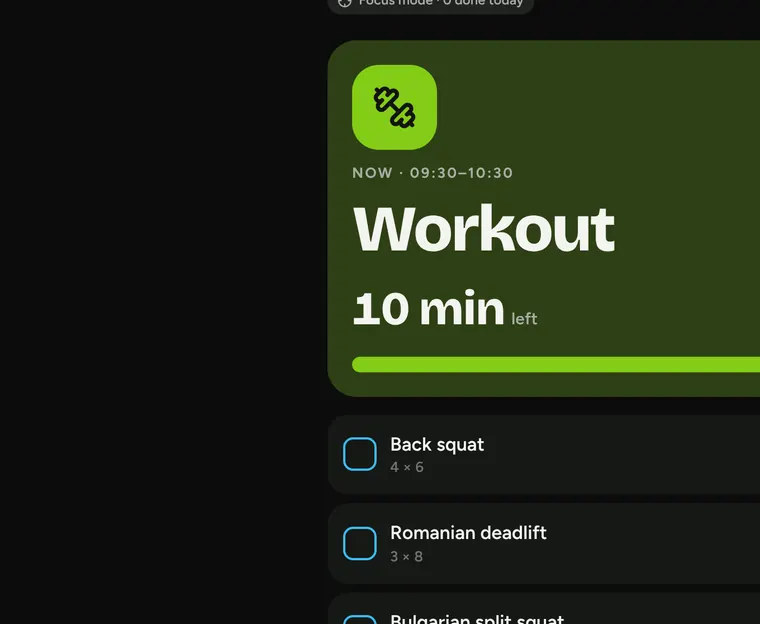
Focus mode showing the current workout with exercises to tick off

Habits you can see

Every habit gets a colour. Each day becomes a little stack of what you did, so a good month looks like a rainbow.
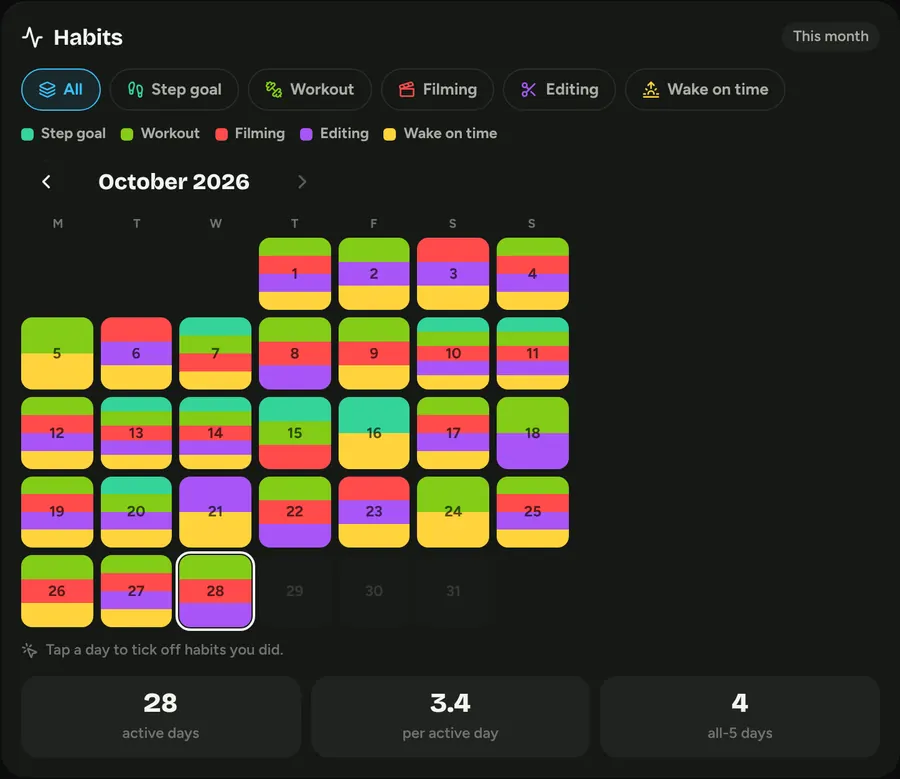
Month of habits shown as coloured day tiles

Day, week, month, year

Your routine fills itself in and steps aside for meetings. Bring in Google, Apple or Outlook Calendar in two clicks.
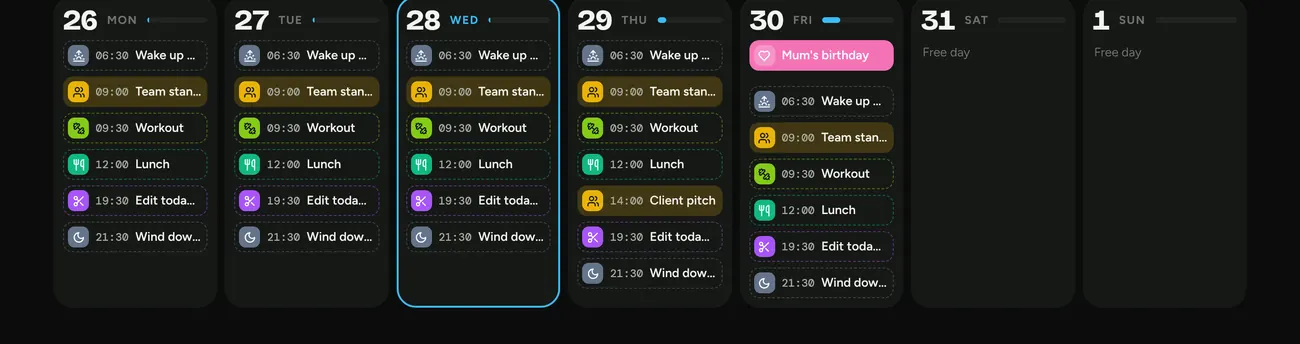
Week view with colour-coded blocks and meetings

Audience goals

Instagram, TikTok and YouTube in one growth chart, with a goal for each.
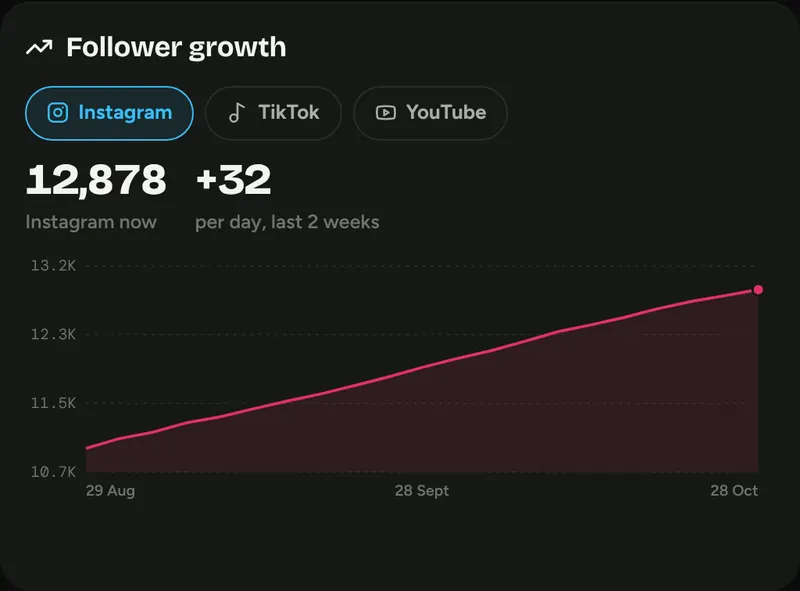
Follower growth chart

Trips with a flag on

Flights, hotel, packing list and a countdown for every trip, each in its own colour.
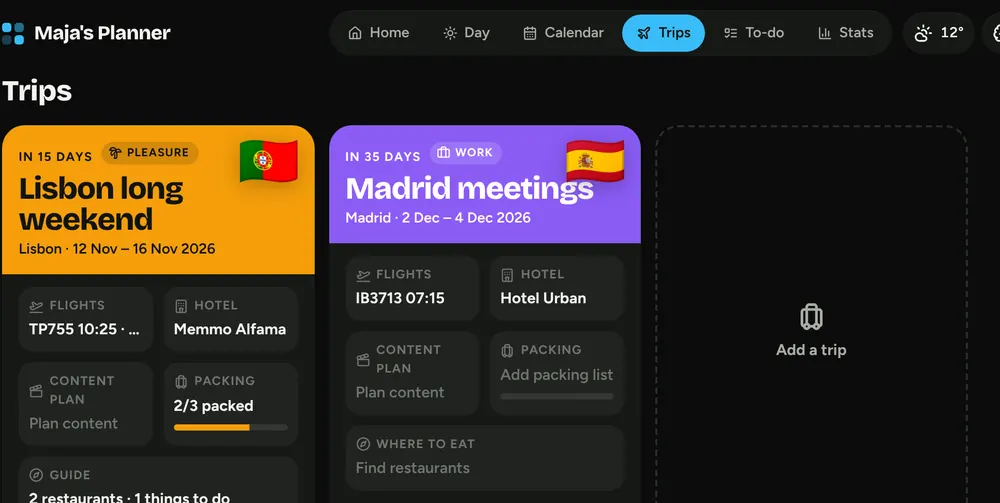
Trip cards for Lisbon and Madrid with flags

Make it yours

Drag panels around, resize them from the corner, pick dark, light or glass, and choose your colours.
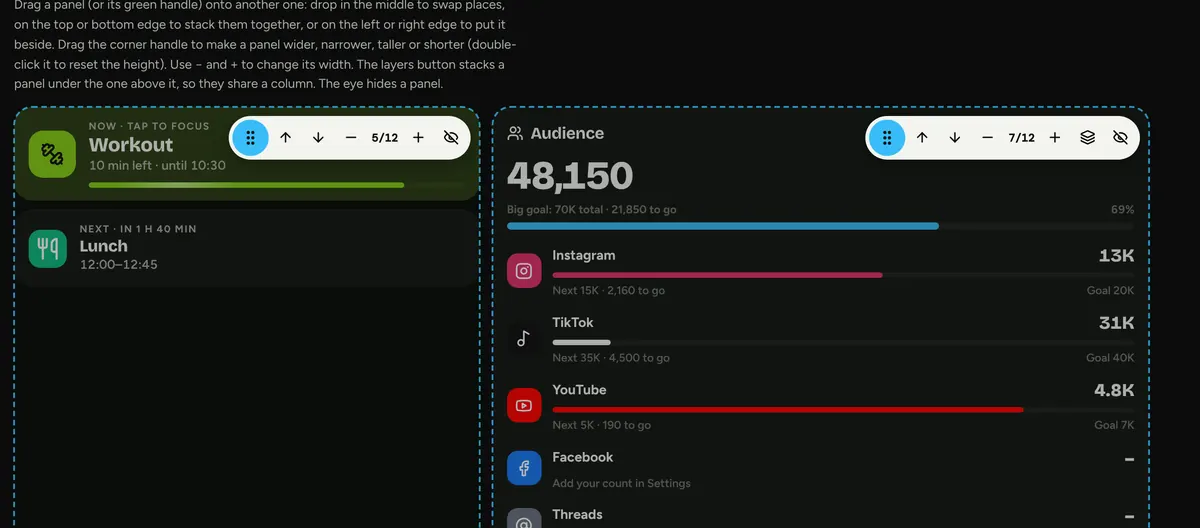
Home screen in customise mode with drag handles
Brain dumpCountdownsStep trackingFree weatherTo-do listWorkout plansAchievementsShortcut iconsBackupsPhone and desktop
Daglig Pro

Your planner, run by Claude.

Pro moves Daglig into your own Claude account with one prompt. From then on it fills itself in, and you can change anything about it just by asking.

It fills itself in

  • Calendar every 2 hours, with Zoom, Meet and Teams links found in your email
  • Follower counts for every platform, every morning
  • Flights and hotels read from booking emails and screenshots
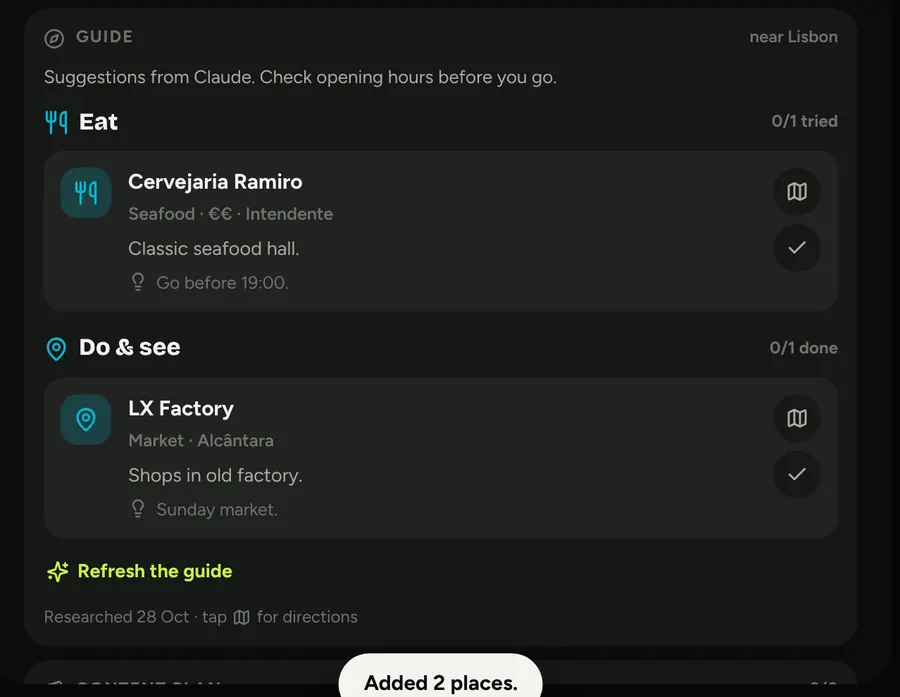
  • Restaurants and things to do near your hotel, one tap per trip

You keep building it

It's your own copy, so Claude can change it for you. Ask in plain words:
“Add a water habit”“Make the font rounder”“Add a panel for my padel matches”“Show my week in Danish”“Track my reading”
Claude
I'm going to Lisbon on the 12th. Find me dinner spots near the hotel.
Found your TAP flights and the Memmo Alfama booking in your email and added them to the trip. Here are restaurants and things to do within 20 minutes of the hotel:
A trip guide in Daglig with restaurants and sights near the hotel
Nice. Add a “Pack camera” reminder the day before.
Done. It's on Wednesday the 11th at 20:00, in your Travel colour.
Compare

Daglig or Daglig Pro?

Both give you the full planner. Pro adds Claude, so the boring parts fill themselves in and you can change the planner just by asking.

IncludedAutomatic with ClaudeNot included
Feature
Daglig€19 one-time
Daglig Pro€39 one-time · with Claude
Planning
Day, week, month and yearColour-coded blocks you can drag and resize
Daglig: Included
Pro: Included
Daily routineFills your weekdays and steps aside for meetings
Daglig: Included
Pro: Included
Now and next + focus modeOne thing on the screen, with time left
Daglig: Included
Pro: Included
Your own habits and goalsPick them, name them, set days a week
Daglig: Included
Pro: Included
My numbersSleep, water, weight, sales or anything you name
Daglig: Included
Pro: Included
Step trackerProStep goal, streaks and Apple Health sync
Daglig: Not included
Pro: Included
To-dos, brain dump and countdowns
Daglig: Included
Pro: Included
Your layout and coloursDrag panels, dark, light or glass
Daglig: Included
Pro: Included
Your calendar
Calendar eventsGoogle, Apple and Outlook
Daglig: Import a file by hand
Pro: Synced every 2 hours
Meeting linksZoom, Google Meet and Teams
Daglig: If they are in the file
Pro: Found in your email too
Social stats
Instagram, TikTok and Facebook
Daglig: Type the numbers
Pro: Looked up every morning
YouTube subscribers
Daglig: Automatic with a free key
Pro: Automatic
Growth chart and goals
Daglig: Included
Pro: Included
Travel
Flights and hotels
Daglig: Type them in
Pro: Read from your booking emails
Booking screenshots and linksProDrop in a screenshot of a booking
Daglig: Not included
Pro: Claude reads them for you
Restaurant and sights guideProNear your hotel, for every trip
Daglig: Not included
Pro: One tap per trip
Everyday
Weather and rain warning
Daglig: Set your city once
Pro: Automatic
Phone and computer
Daglig: One device, move with a backup
Pro: Same planner everywhere you sign in
Change the planner itselfPro“Add a water habit”, “Track my reading”
Daglig: Not included
Pro: Just ask Claude
Where your data lives
Daglig: In your own browser
Pro: In your own Claude account
Pricing

Pay once. Keep it.

No subscription and no account. You get the file, it's yours.

Daglig

€19one-time
  • The full planner at dagligapp.com/app, plus a file for offline use
  • Day, week, month and year views, habits, trips and goals
  • Calendar import, free weather, YouTube auto-update
  • Visual setup guide
  • Free updates
Buy Daglig · €19 Your code arrives by email right after payment
With Claude

Daglig Pro

€39one-time
  • Everything in Daglig
  • The Claude setup prompt: calendar, meetings, followers, weather and travel, all automatic
  • Trip guides and booking screenshots read by Claude
  • Change and extend it any time by asking Claude
  • Free updates
Buy Daglig Pro · €39 Needs your own Claude plan with connectors and scheduled tasks

Secure checkout through Polar. Your code arrives by email straight away. Already have Daglig? Upgrade to Pro for €25 with the code from your purchase email.

How it works

Up and running in five minutes.

1

Buy

Your code and the daglig.html file arrive by email straight away.

2

Open dagligapp.com/app

Type your code once. A one-minute setup asks your name, colours and what fills your days. Works in Safari, Chrome and Edge.

3

Plan in colour

Add it to your Dock or home screen. Going Pro? Paste the prompt into Claude and it takes over the busywork.

Questions

Good to know.

Is it a subscription?

No. You pay once and keep the file. Updates are free.

Where is my data stored?

In your own browser, on your own device. Nothing is uploaded, and it saves by itself as you go. A backup button lets you move it to another computer or phone.

Does it work on my phone?

Yes. Open dagligapp.com/app in Safari or Chrome, type your code and add it to your home screen. With Pro, it lives in Claude and works anywhere you're signed in.

What do I need for Pro?

A Claude plan with connectors and scheduled tasks. Connect your calendar and email in Claude, paste the prompt, and Claude does the setup. The Claude plan isn't included.

Something isn't working. Who do I ask?

See dagligapp.com/help for quick fixes, or email [email protected]. Inside the app: Settings › Help & support.

Can Claude send emails or change things?

No. The prompt only lets Claude read your calendar and email. It never sends, replies, accepts or deletes anything.

Can I upgrade later?

Yes, for €25. Type the code from your purchase email at dagligapp.com/upgrade, and your planner moves into Claude with everything you've already set up.

Make today a good one.